

Introduction to Chordwalk
ChordWalk, based on US Patent 10614786 (April 7, 2020) and improvement application PTIE20220000000449, is a versatile software for Windows, Mac, iPad, and iPhone. It simplifies music composition and performance, catering to users from beginners to advanced musicians, regardless of their music theory knowledge.

Getting Started
ChordWalk is not a DAW (Digital Audio Workstation). Instead, it sends MIDI data streams to a locally running DAW, an externally connected device with a DAW, or any MIDI device capable of playing MIDI instrument sounds. ChordWalk can also play locally installed SoundFonts.
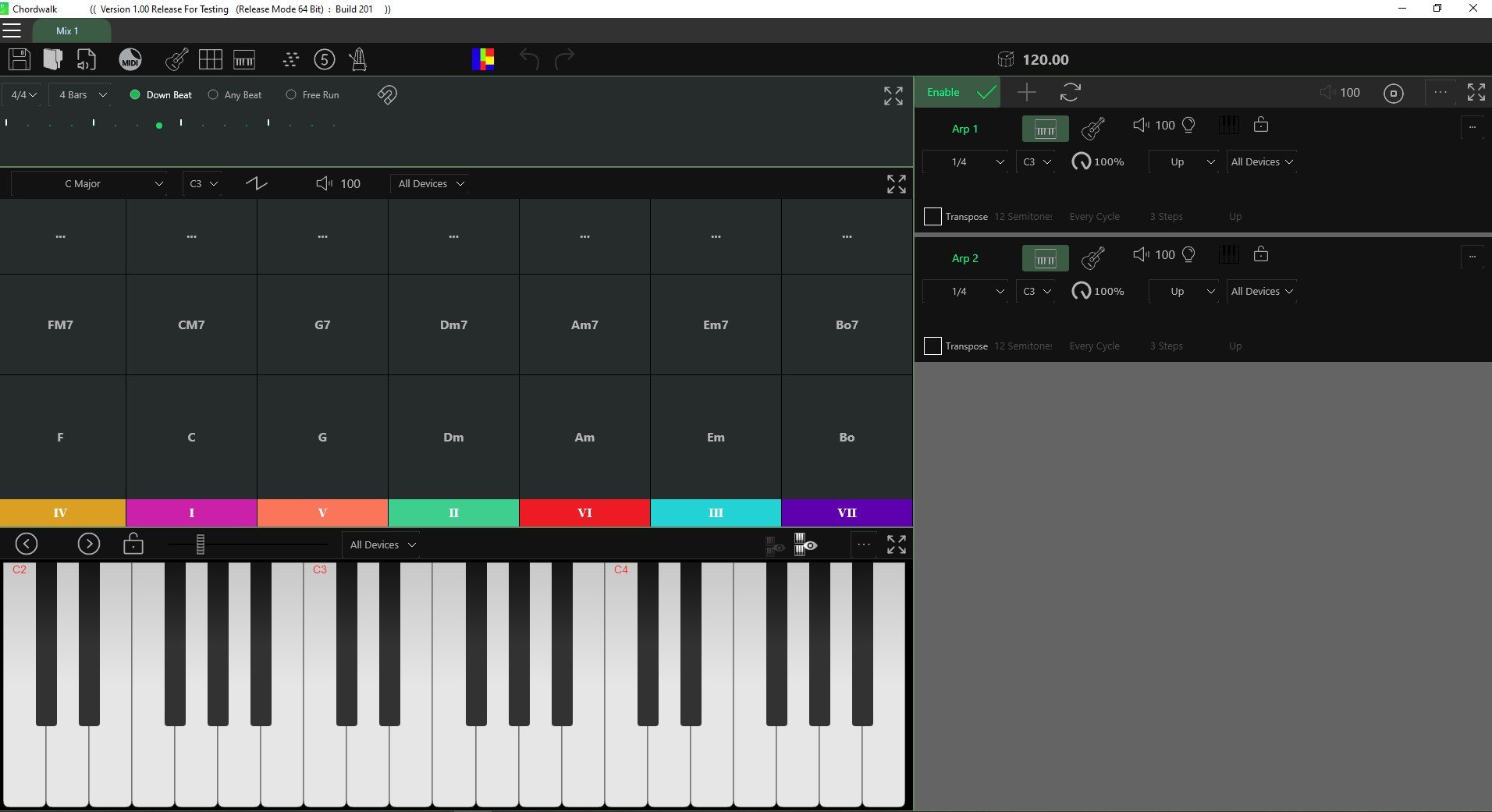
Launch Screen
The default creation screen displays a Chord Selection area, a virtual instrument playing area, two Arpeggiator areas, and a Metronome and beat syncing area.

Run in Background
When you are running ChordWalk with a DAW on an iPad, and you are toggling between the applications, you must have ChordWalk, and the DAW set to “Run in background” mode for the DAW to continue playing with ChordWalk running in the background.

Open a New Creation Tab
Click the “Add New Tab” icon (the plus sign) to add a new creation tab. This allows you to toggle between multiple tabs, enhancing your creative workflow efficiency.

Resizing a Dialogue Box using Touch
To resize a Dialogue Box, hold one finger at the top of the Box, and with another finger, grab the bottom extremity of the Box and move it up/down/across to resize the Box view.

Resize Views in ChordWalk
ChordWalk provides a "Screen Configuration" option that enlarges borders, making it easier to resize individual views precisely on touch devices.

Selecting MIDI Play Devices
ChordWalk can also play locally installed SoundFonts. The guide provides detailed instructions for connecting to DAWs and external devices and installing SoundFonts.

Understanding MIDI
MIDI allows ChordWalk to control multiple instruments by sending musical instructions instead of audio.
By using MIDI channels and ports, each musical part can be routed independently, keeping complex arrangements organised and predictable.

Basic Overview of MIDI Channels
Understanding MIDI channels is essential for organising instruments, avoiding conflicts, and creating clean, predictable musical performances.

How and Why MIDI Channel Conflicts Occur
A MIDI Channel Conflict occurs when two or more MIDI sources send the same or different MIDI data at the same time.

Music Fundamentals for Beginners
A great hook is formed by combining some of the elements shown below. Every composition must have rhythm, Which underpins all great music compositions.

Structure of a composition
Most songs have some formal structure: intro, verse, and chorus, which is repeated over and over and finished with an outro. Other structures can include a bridge between the two main components. The bridge is often an instrumental solo or a piece of vocal improvisation.


Metronome
The selected Tempo is represented as a beat indicator scrolling across the bars to advise the Creator of their exact position in the composition structure in real-time. It is also important for the creator/performer to know where the beat is relative to the downbeat. The ChordWalk Metronome advises the current beat position relative to bar number and downbeat position.

Beats and Downbeats
On installation, the Metronome defaults to display four bars in the most popular time signature of 4/4 time, also known as Common Time.

Bar and Measures
In the Metronome area, you can set the number of bars to display for the different sections of your creation from a drop-down menu.

Time Signature
A time signature is represented by two numbers, one above the other. The time signature tells us how notes are grouped together in a composition. The top number tells us the number of notes that are grouped in a bar. The bottom number tells us the type of notes (note quality) in the group.

Note Values
In ChordWalk, note values, called Steps, are essential for creating arpeggios and can include Rests (silences). ChordWalk’s arpeggiator lets you mix note values to create varied and complex melodies and harmonies.

Note play period (Gate settings)
Gate settings in ChordWalk control how long each note or rest (step) is played. Common note values, like half notes, quarter notes, dotted notes, and triplets, have specific lengths in beats. You can adjust these lengths using Gate Settings to change the feel of your music, such as making notes short and clipped for staccato effects.