
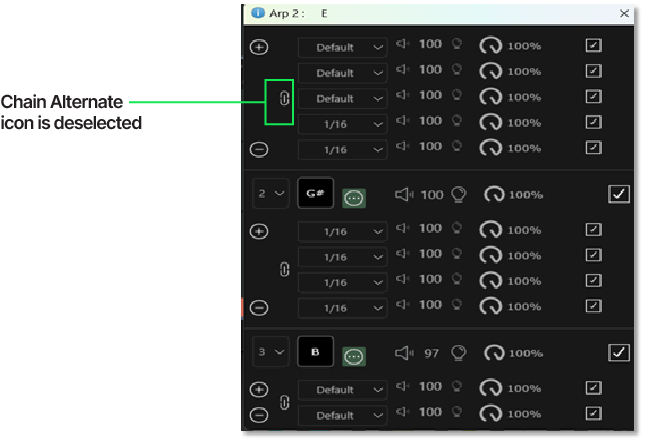
Alternate Mode Arpeggiation
The second mode is Alternate Mode. When the Chain/Alternate icon is deselected, the arpeggiator will play only one note step within the expanded note area in descending order, before moving to the next higher note order position.

Chain mode
Two mode selections are available, allowing you to change the playing cycles for the individual note flavors. The first mode is Chain Mode. When a note has the Chain/Alternate icon selected, the Arpeggiator will play all active notes within the pane before moving to the next Note Order position.